To Add Money to your KrillPay wallet through Plaid, follow these steps
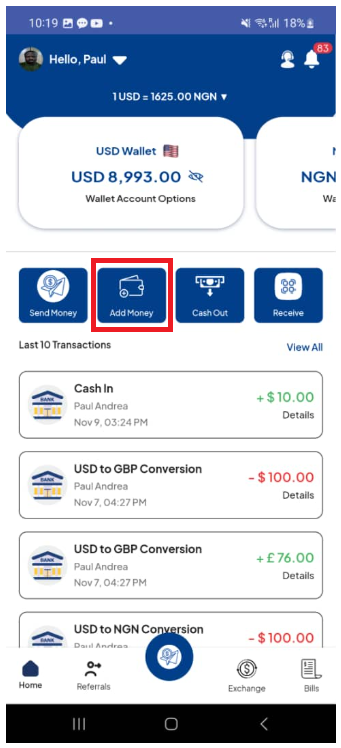
- Click on Add Money
- Click on USD Bank Account
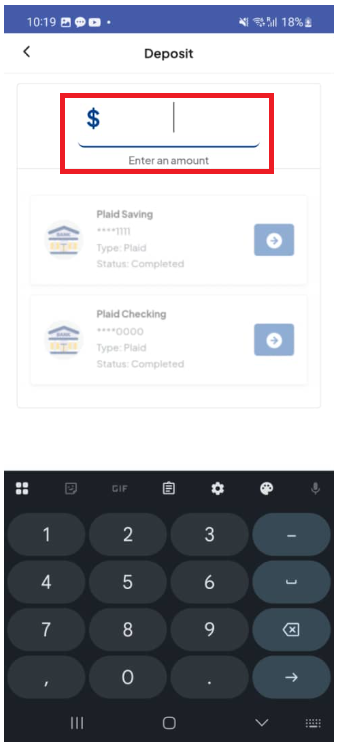
- Click on the Dollar sign text box and type in the Amount you want to deposit
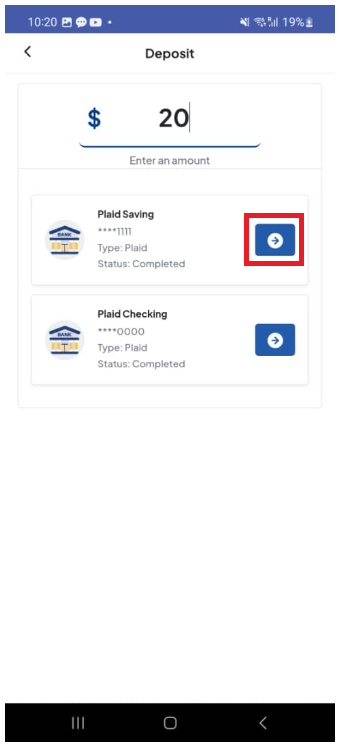
- Then click on the bank account to make the deposit from.
- Click Continue
- Enter your PIN to complete the transaction.
Note: If you have not yet linked a bank account, click here.
Click on Add Money
Click on USD Bank Account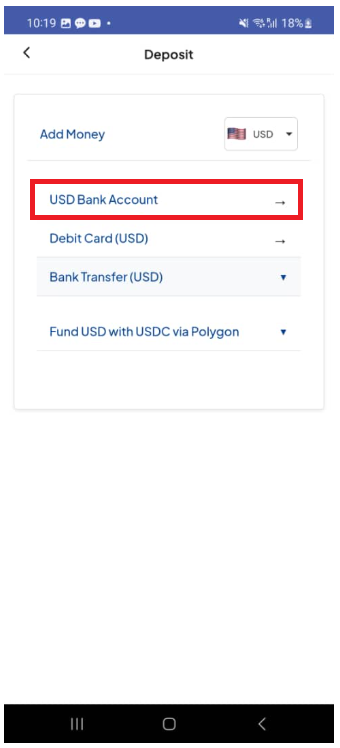
Enter an Amount to deposit
Select the bank you want to deposit the money from
Click Continue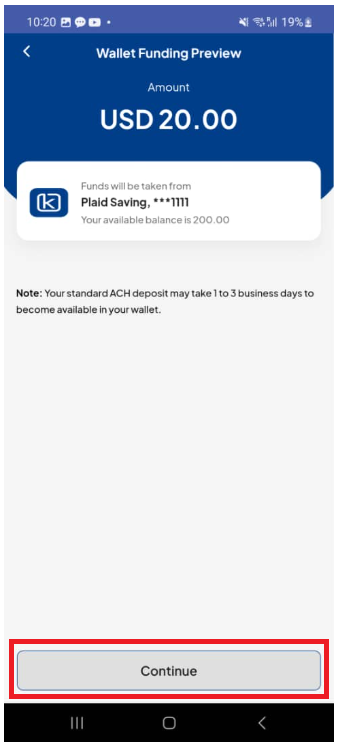
Was this article helpful?
That’s Great!
Thank you for your feedback
Sorry! We couldn't be helpful
Thank you for your feedback
Feedback sent
We appreciate your effort and will try to fix the article